Designing a workspace for complex sequence analysis
Context
MSA Workspace is an analytical environment for exploring sequence alignments through multiple synchronized visualizations.
Researchers use it to inspect sequence patterns, metadata relationships, diversity metrics, and evolutionary relationships while frequently switching focus throughout the analysis process.
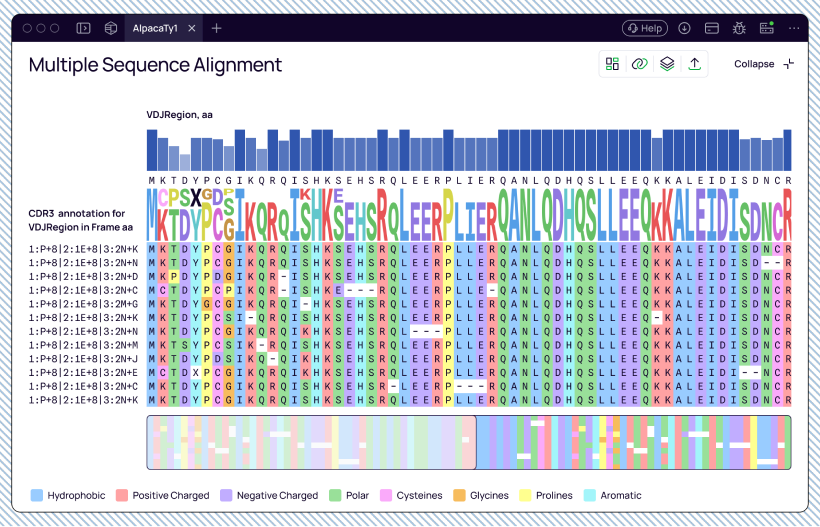
Insights
The design was informed through customer discussions, product exploration sessions, and observation of real analysis workflows.
Key themes included:
- Different researchers focus on different aspects of the same dataset.
- Analytical priorities change throughout the investigation.
- Large alignments require both overview and detailed inspection modes.
- Important metadata must remain visible during navigation.
Challenge
Researchers use sequence alignments for different analytical goals, often within the same session. Some focus on sequence conservation and mutations. Others investigate metadata, diversity metrics, or evolutionary relationships.
A single static layout could not efficiently support all workflows.
The challenge was to design a workspace that could adapt to different research tasks while preserving context and avoiding unnecessary visual complexity.
Design principles
Rather than creating separate tools for different analysis tasks, I focused on building a flexible workspace that adapts to the user’s objective.
The design was guided by four principles:
Adaptability
The workspace should support different analytical goals without requiring separate interfaces.
Progressive detail
Users should be able to switch between overview and detailed inspection modes.
Context preservation
Important metadata should remain accessible while navigating large datasets.
User control
Researchers should be able to customize the workspace according to their investigation needs.
Key improvements
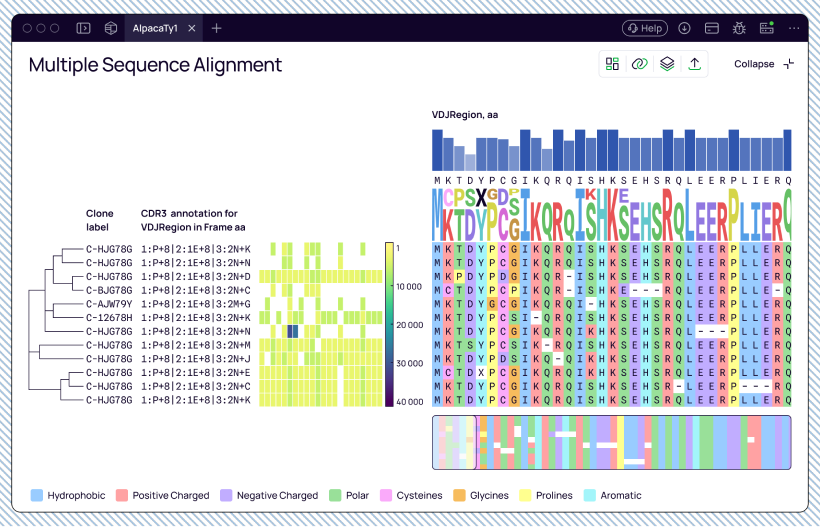
One workspace, multiple analytical tasks
Designed the workspace as a collection of independent analytical layers rather than a fixed visualization.
Researchers can enable or disable:
- Trees
- Metadata columns
- Heatmaps
- Consensus views
- Sequence logos
Depending on the analysis objective. This allows the same workspace to support different research workflows without requiring separate tools or layouts.
Progressive detail through density controls
Sequence alignments often contain hundreds of rows and thousands of positions.
Showing maximum detail at all times creates unnecessary visual noise and makes navigation more difficult.
Introduced collapsible states for both the heatmap and alignment grid.
Researchers can switch between:
- Overview mode for pattern recognition.
- Detailed mode for sequence-level inspection.
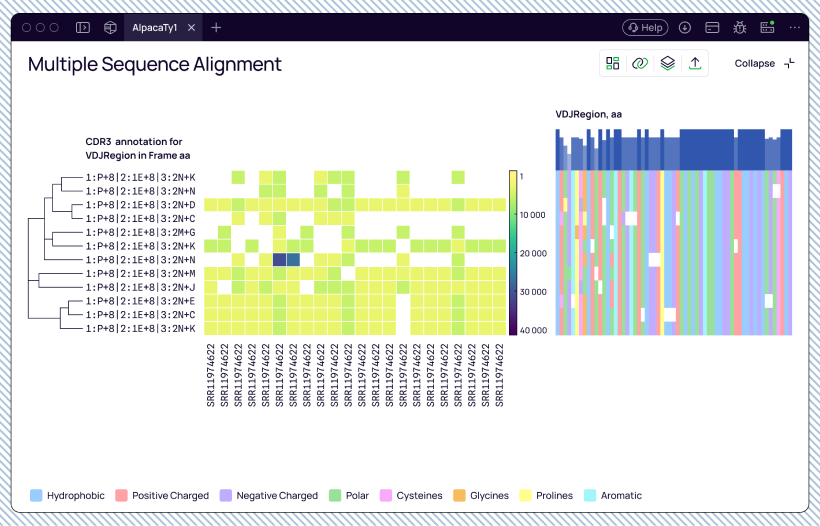
Heatmap
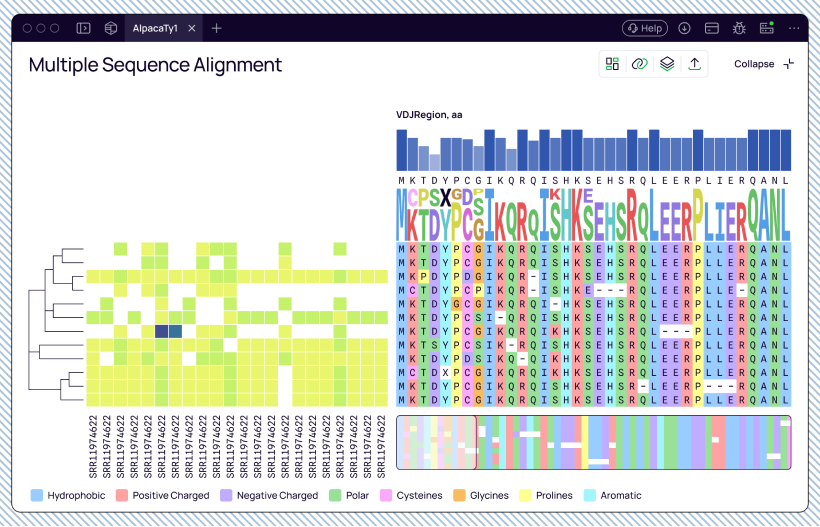
- Expanded mode reveals labels and detailed values.
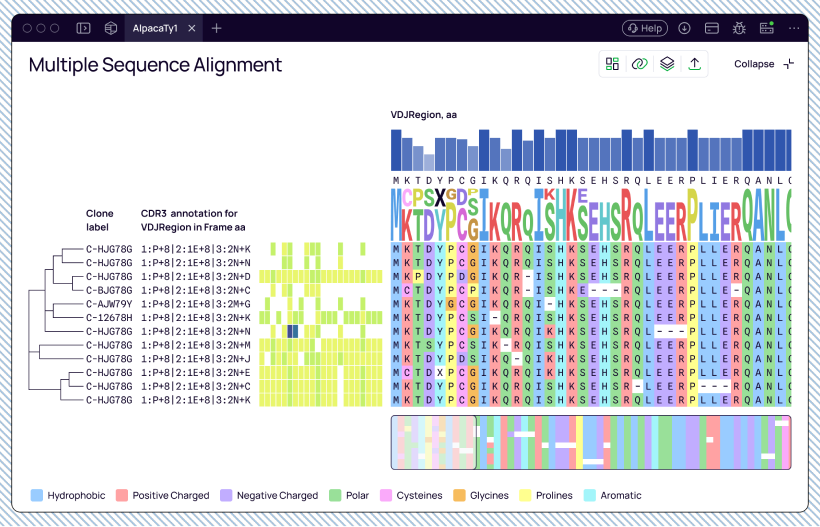
- Collapsed mode compresses cells into a fixed-width overview.
Alignment grid
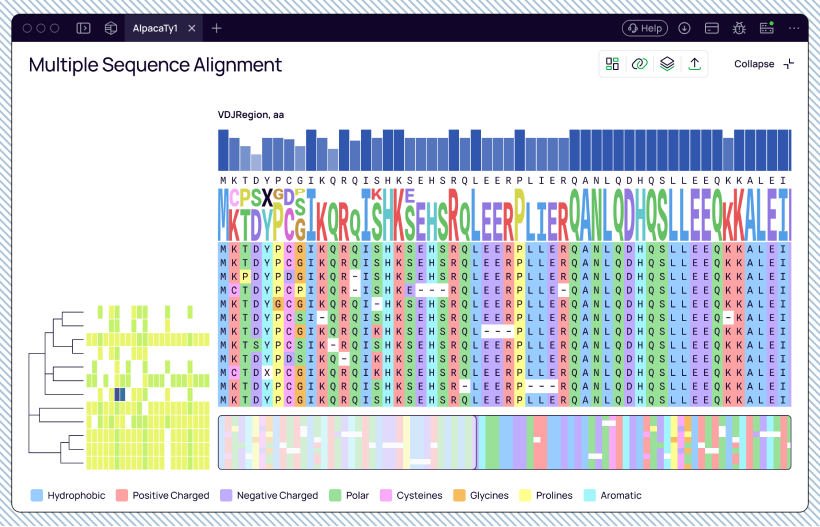
- Expanded mode supports detailed sequence inspection.
- Collapsed mode removes sequence characters and displays alignment patterns at scale.
My role
Led the design of the MSA Workspace end-to-end, including workflow architecture, interaction design, information density strategies, component design, and developer documentation. Worked closely with engineering throughout implementation and validation.
Outcome
Created a flexible analytical environment that supports multiple sequence analysis workflows while balancing information density, context preservation, and usability. The workspace adapts to different research goals without forcing researchers to switch between separate tools or interfaces.